Requesting GET Funds from Family & Friends
Funds can be requested through the GET mobile app and the website
- From the ‘Overview’ screen on the web version, enter the contact information, account, and
message in the ‘Ask For Funds’ Section.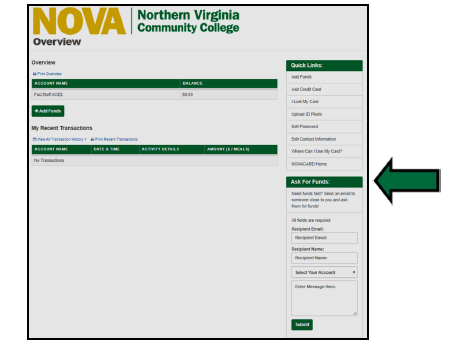
From the GET Mobile App, select the ‘Accounts’ screen on the bottom navigation and select the
‘request funds option’
Complete the name, email, account, and message poron, then select ‘Send Request’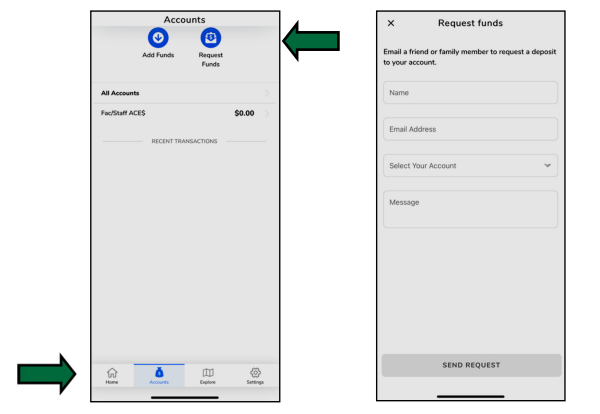
- For a family member or friend to add funds, they should click the link in the email request to be
routed to add funds. This option prepopulates all account information they need.
*Note: If they do no use this link, they can go to https://get.cbord.com/nvcc/full/login.php, select the link for ‘Parents,
Guardians, and Other Relaves’, and enter the student ID number, first name, last name, and date of birth.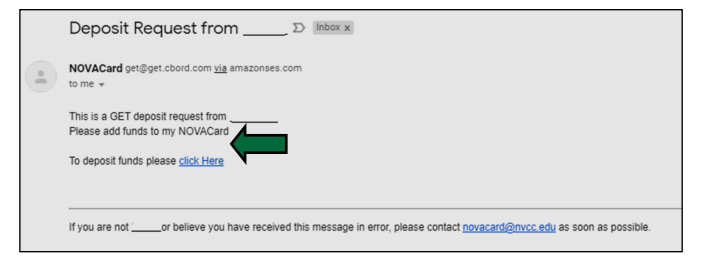
- Complete the options for account, amount, and confirmation email for deposit
Select ‘Continue’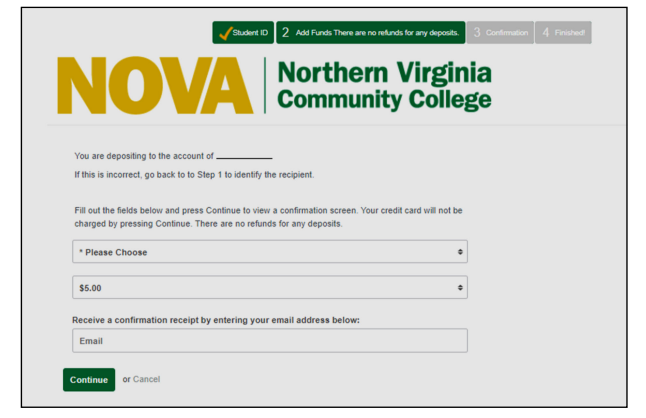
- Confirm the deposit information provided before moving on to payment information
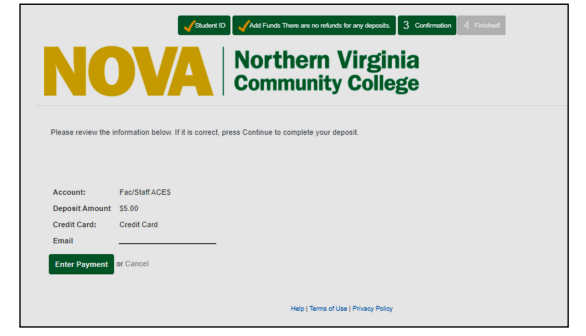
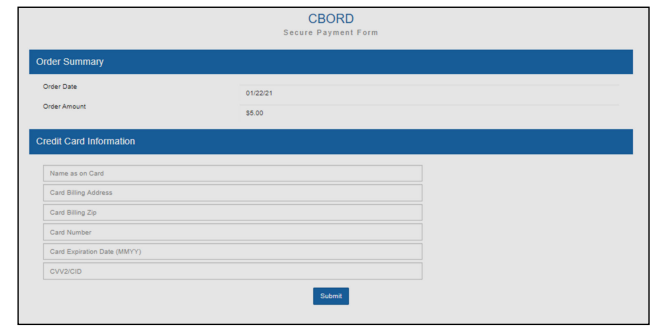
- Enter the credit card information for the deposit and click ‘Submit’
Payment Method Options are AMEX, Visa, and MasterCard (No Discover)