Deposit Money onto Your NOVACard at a VPRS Terminal
Depositing Money Onto Your NOVACard At A VPRS Terminal
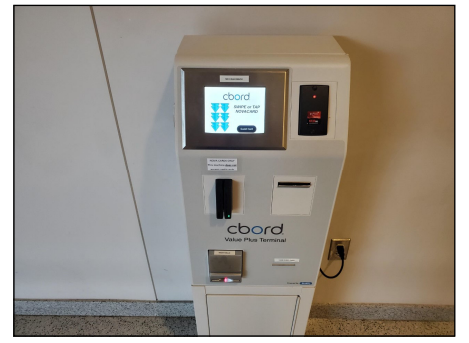
Locate a VPRS terminal at your campus *Note: Locations available at: https://www.nvcc.edu/novacard/student/manage.html
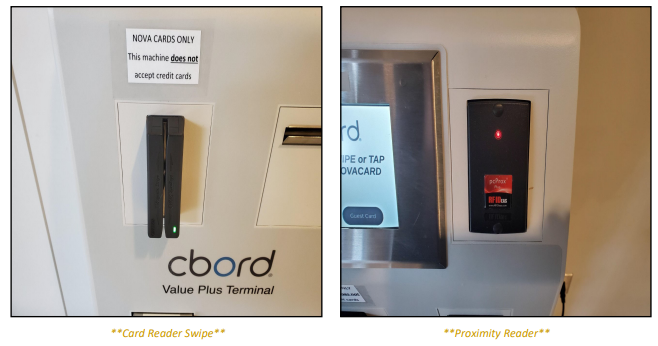
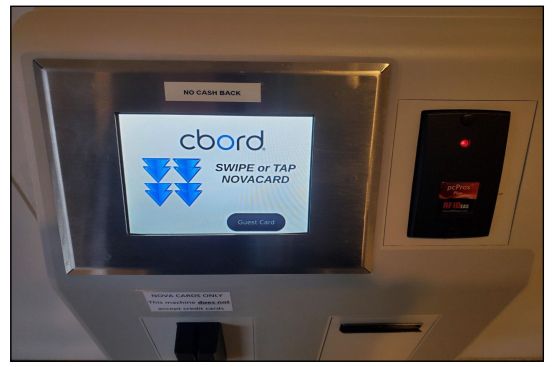
To begin, swipe your card through the card reader or tap it to the proximity reader on the terminal
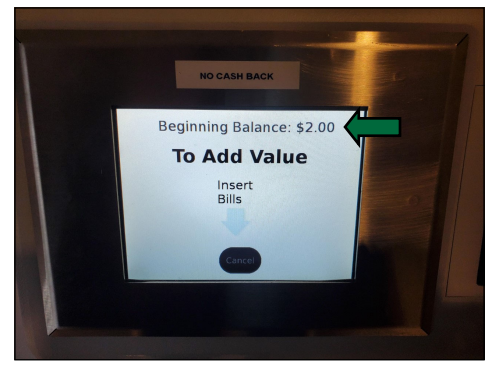
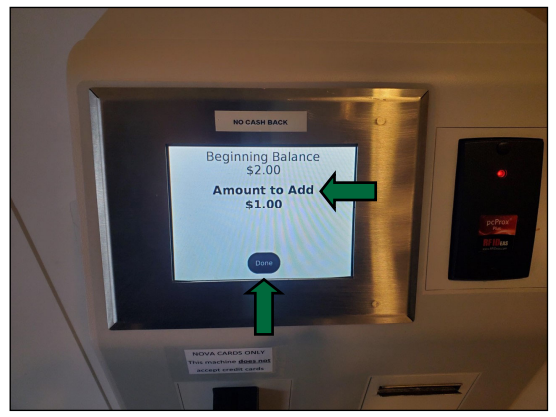
After scanning your card your ’Beginning Balance’ will be shown
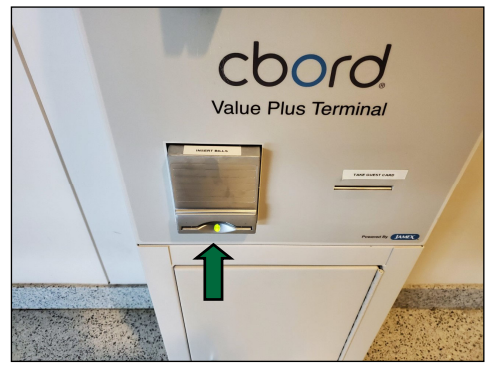
Insert bills into the bill acceptor to deposit money into your NOVACard account
As you deposit bills, the ‘Amount to Add’ screen will update showing the total deposited so far When you are done depositing bills, press the ‘Done’ button on the screen
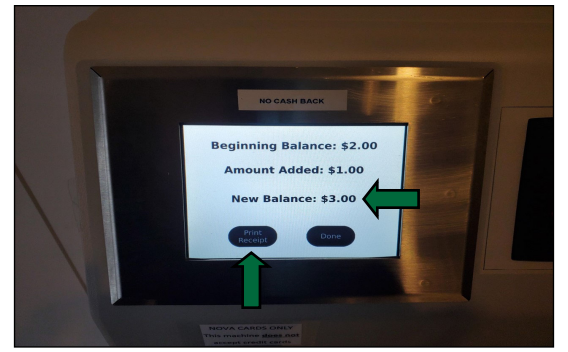
After clicking done you will be shown your ‘New Balance’ on your NOVACard account If you would like a receipt press the ‘Print Receipt’ button on the screen Press the ‘Done’ button and complete your transaction
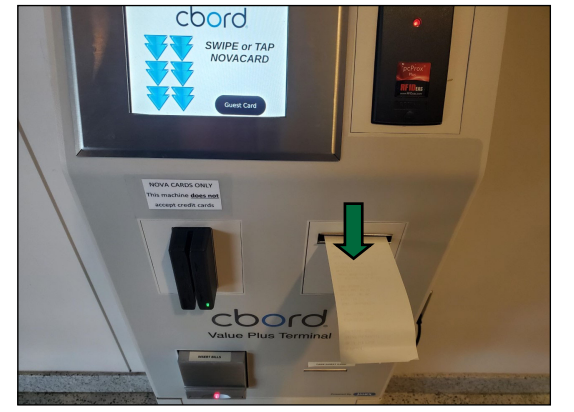
If you selected the ‘Print Receipt’ option, a paper receipt will print out with a summary of your transaction along with your new balance
Your transaction is now complete If you would like to perform another transaction, re‐swipe or tap your card to begin