Adding Funds Through GET
If you do not already have an account with GET, please see our How‐To‐Guide on creating an account
Adding Funds Through The Mobile App
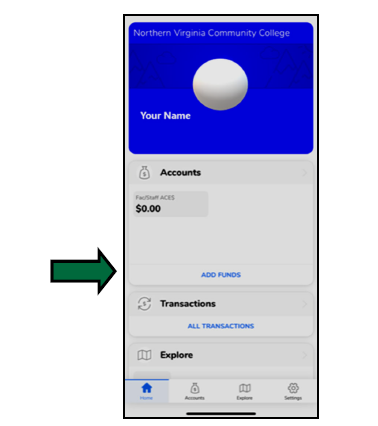
- Once Logged in, Select ‘Add Funds’ from the home screen
- Select the Payment Method, Account, and Amount to Deposit. Payment Method Options are AMEX, Visa, MasterCard and ApplePay (No Discover)
*Note: If this is your first deposit and you would like to use a Credit Card, you will be routed to a screen to add your card information. Enter your card information, select ‘Add Card’ and you will be routed back to the ‘Add Funds’ screen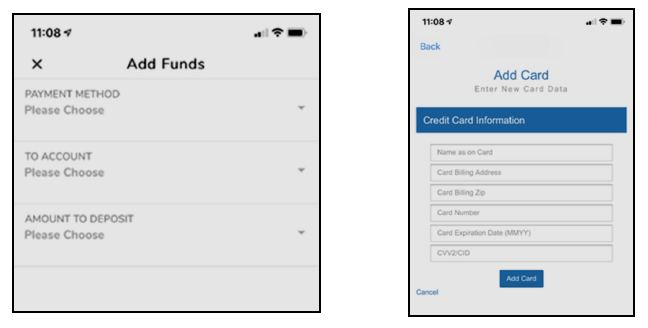
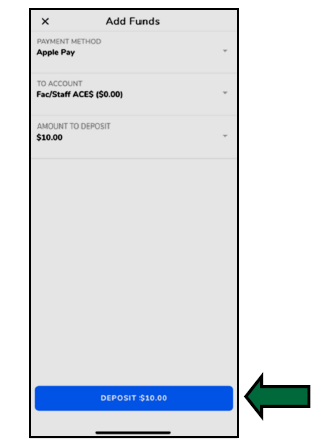
- Once you have selected all of your opons, Select the ‘Deposit’ button at the bottom
Adding Funds Through GET Online
- Once logged in, Select ‘Add Funds’ from the Overview screen
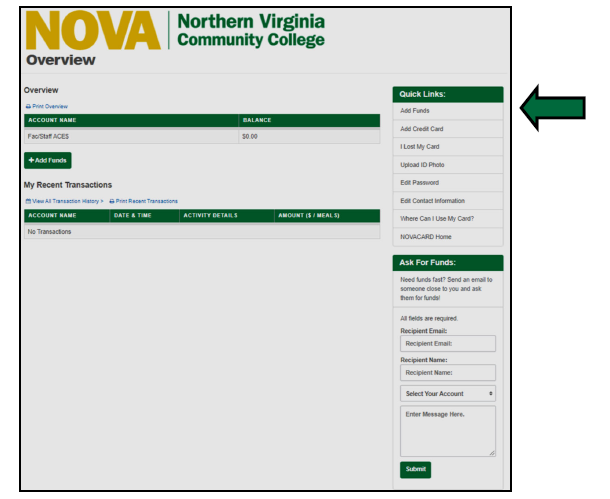
- Select the Payment Method ‘Credit Card’
Credit Card payments can be made using AMEX, Visa, or MasterCard (No Discover)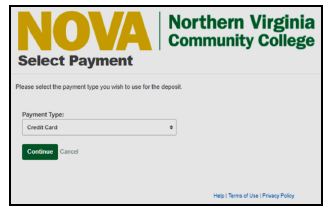
- Complete all fields on the ‘Add Funds’ screen
If you have previously saved a credit card, you can select the card from the drop down, otherwise, select the ‘Enter New Card Information’ option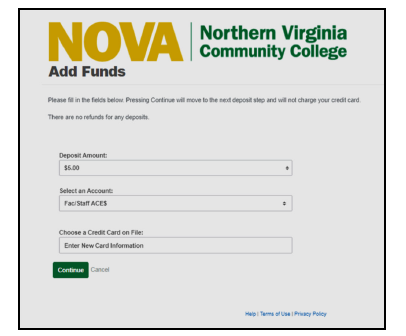
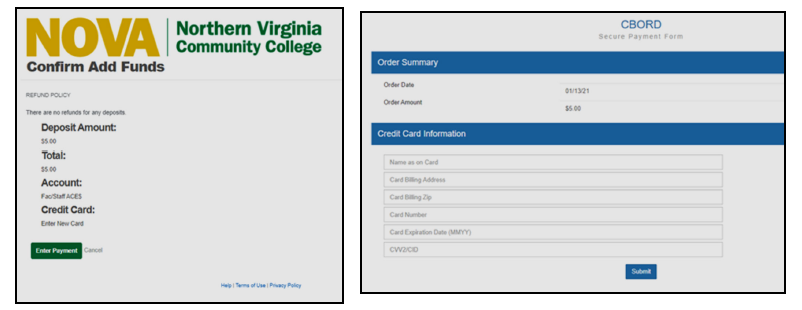
- Verify all the information is correct on the ‘Confirm Add Funds’ screen.
If you are entering a new credit card, when you select the ‘Enter Payment’ option it will route you to
a page to enter your card information